


Most DTC brands ship their products, include a paper warranty card, and then never hear from that customer again. The card gets tossed. The buyer becomes a ghost. And when something breaks six months later, everyone argues about purchase dates with zero records to back anything up. It’s a familiar mess, and it costs brands real money in disputes, lost data, and one-star reviews.
SmartWarranty is a lightweight SaaS platform built specifically to fix this problem. It replaces paper warranty cards with branded QR code registration pages that customers actually use. No app download, no complicated form, no friction. Just a quick scan and the buyer is registered, verified, and on your radar.
The product launched recently on Product Hunt and it’s aimed squarely at DTC brands, hardware startups, Amazon sellers, and Kickstarter creators who need first-party customer data without paying for a bloated CRM setup. Setup takes about three minutes. That part I’ll believe after looking at how it works.
Key Features of SmartWarranty
Bulk Serial Number Upload and QR Generation
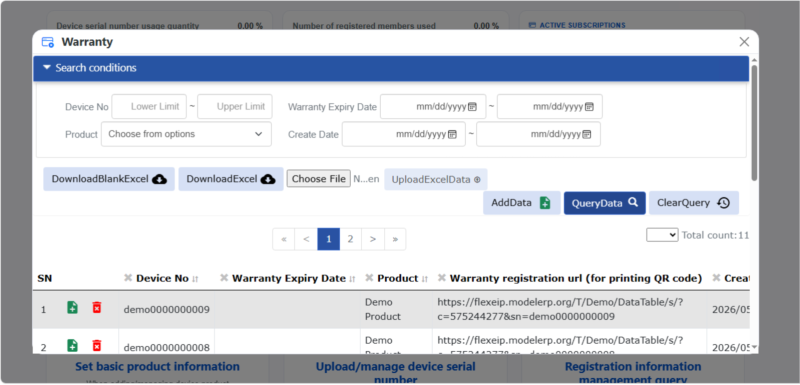
You upload your factory serial numbers via Excel, and SmartWarranty converts each one into a unique QR code. Each code links directly to that specific unit’s registration page, with the serial number pre-filled. Customers don’t type anything. That alone removes a huge drop-off point in most warranty flows.
Print-Ready PDF Warranty Cards
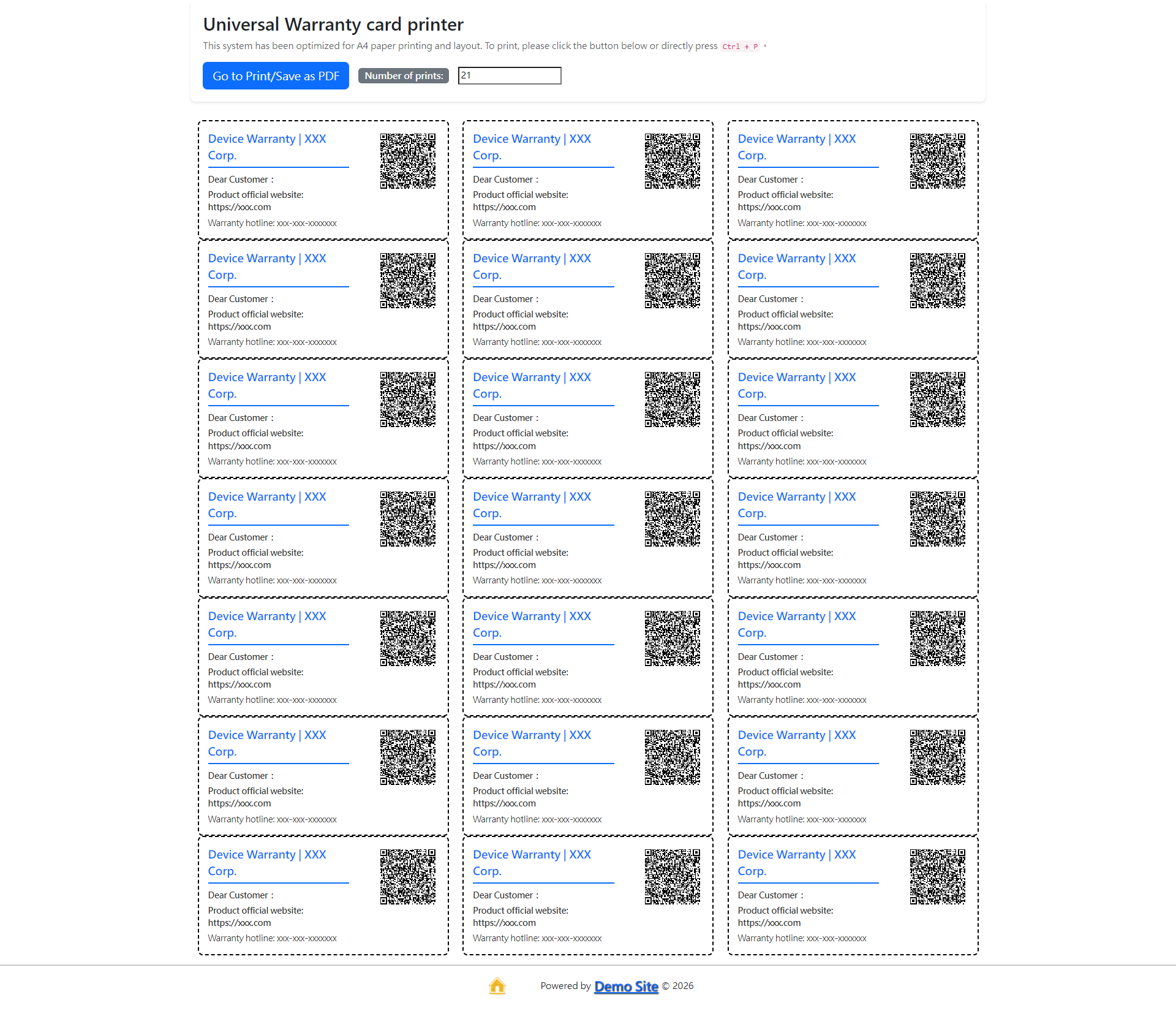
Once your QR codes are generated, you export them as a formatted PDF, ready to send straight to your packaging line or printing factory. The layout is clean and professional. No design work needed on your end.
Branded Customer-Facing Registration Pages
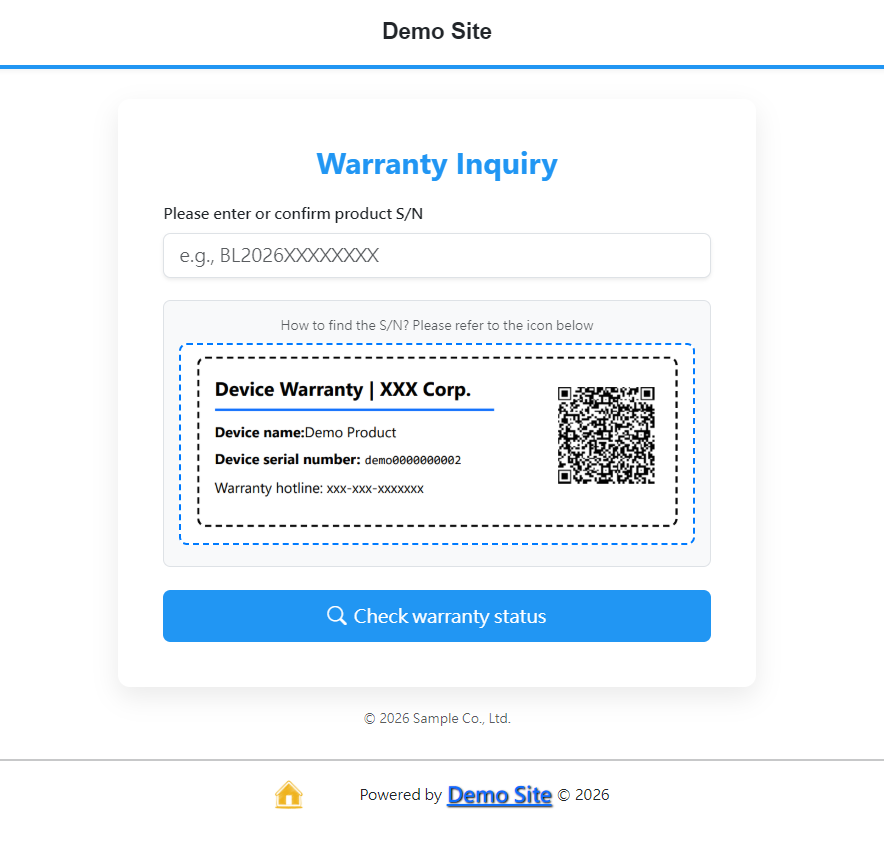
The registration portal your customers land on is fully customizable. You can swap in your logo, brand colors, product images, and support links. It’s built on Bootstrap 5, so it renders properly on mobile without any extra effort. Compare that to a generic Google Form with your company name pasted at the top. There’s no comparison.
Multi-Language Support for Cross-Border Sellers
This one matters if you sell internationally. SmartWarranty automatically adapts the registration page language based on the customer’s region. A buyer in Germany sees German. A buyer in Japan sees Japanese. You configure it once and it handles the rest.
Warranty Status Inquiry Portal
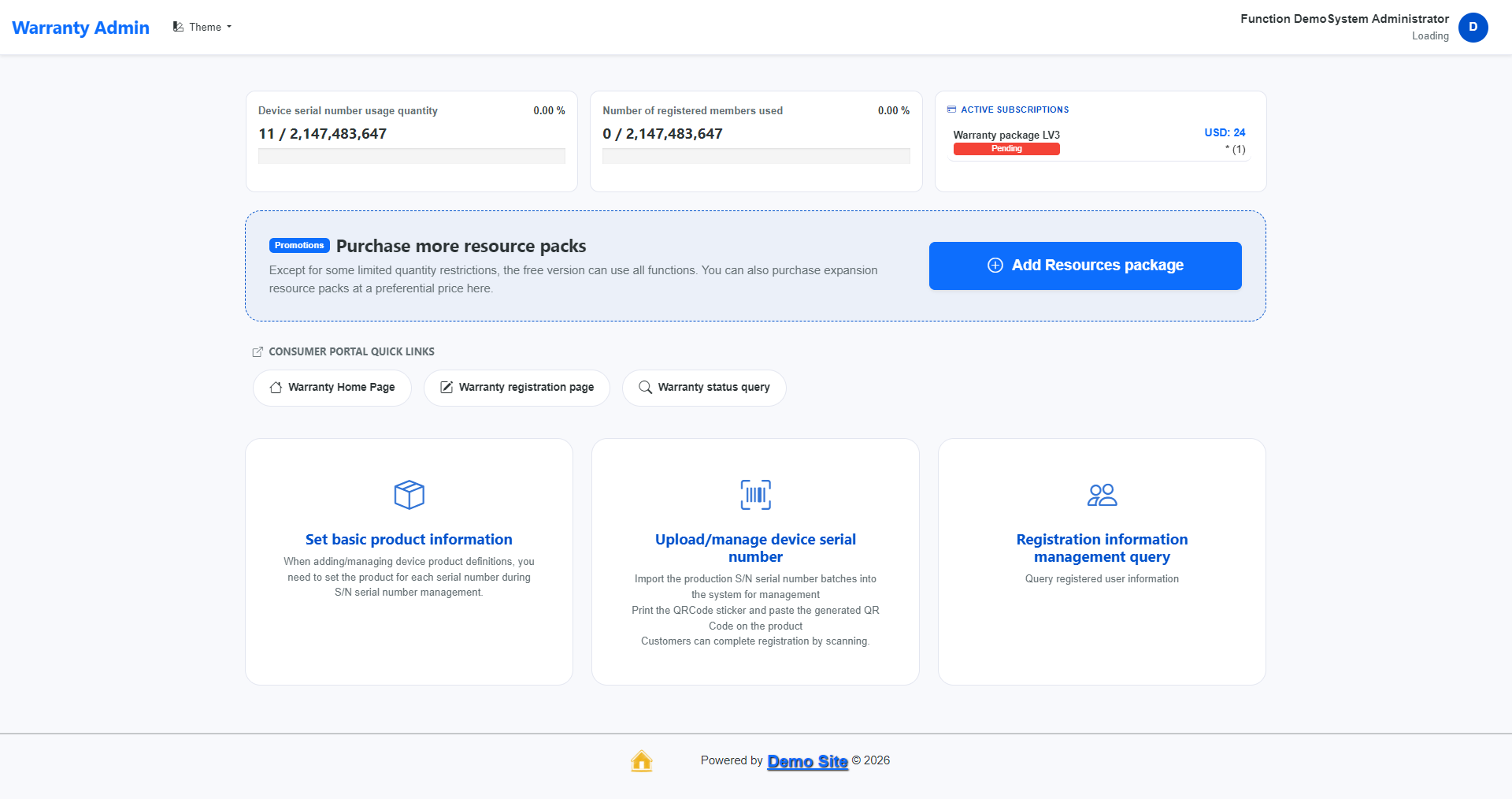
Customers can check their warranty status at any time by entering their serial number. Merchants get a clean back-end dashboard to query registration data, track which units have been activated, and manage the full post-sale picture in one place.
How One Seller Used It the Morning Before a Product Launch
Marcus runs a small consumer electronics brand selling portable Bluetooth speakers through his own Shopify store and Amazon. It was 8:30 AM on a Tuesday, about two hours before a new product batch was due to ship to his fulfillment center. He still hadn’t solved the warranty registration problem for this SKU. His previous approach, a Google Form linked to a QR code, gave him zero way to tie registrations back to specific units.
He signed up for SmartWarranty, uploaded his Excel file of 500 serial numbers, and had unique QR codes generated within minutes. He exported the print-ready PDF and sent it to his packaging supplier by 9:15 AM. The file was ready before his morning coffee went cold.
Two weeks after the batch shipped, Marcus had 87 verified warranty registrations with real customer names, email addresses, purchase dates, and matched serial numbers. His previous product launch had netted exactly zero post-sale contacts from buyers. The difference wasn’t a marketing campaign or a pricing change. It was just removing the friction between a buyer and a registration page.
How SmartWarranty Actually Works, Step by Step
Step 1: Set Up Your Product
Log in to the merchant portal and create a product entry. Add your product name, warranty duration, support contact, and any brand assets you want on the customer-facing page.
Step 2: Upload Serial Numbers
Import your serial numbers from an Excel file. The system processes them in bulk and assigns a unique registration URL and QR code to each one.
Step 3: Export and Print
Download the print-ready PDF with all your QR warranty cards formatted for A4 printing. Send it to your factory or print it in-house and apply stickers to your packaging.
Step 4: Customer Scans and Registers
The buyer scans the QR code on their product. The serial number fills in automatically. They enter their contact details and confirm. Done in under 30 seconds.
Step 5: Merchant Reviews Data
All registrations appear in your back-end dashboard. You can filter by product, date, or serial number. Export the data anytime for CRM follow-up or warranty dispute resolution.
Pricing
SmartWarranty offers a free tier that includes access to all core features with limited capacity quotas. These paid resource packs are fully stackable, allowing you to purchase multiple packs to increase your limits. The LV1 plan starts at $12 per month, which adds 1 extra employee user, 500 warranty registrations, and 5,000 QR code for print. The LV2 plan costs $18 per month and offers expanded limits. There’s also a merchant referral program that earns you free active tracking credits.
Worth Trying if You Ship Physical Products
SmartWarranty is a focused tool. It does one thing: converts your anonymous buyers into identified, contactable customers through QR code warranty registration. If you sell physical goods and currently have no post-sale data on who bought what, this is worth setting up this afternoon. Start free at SmartWarranty and run through the live demo before committing to anything.


