
Votura is a travel app for people who want to explore on their own but do not want to spend hours planning every stop. It combines nearby place discovery, short audio stories and AI-generated tours for walking, cycling and driving.
The app can be used while travelling or before a trip. You can look for places around you, save favourites, or create a route for a city you are planning to visit. Votura 2.0 covers more than 500 cities and supports 12 languages.
The idea is simple: choose a place, listen to its story, or ask the app to build a tour around the kind of day you want. Here is how it works in practice.
Key Features of Votura
Explore Nearby Places
The Explore tab helps you find places close to you. You can search by name, choose a distance radius and filter by categories such as castles, museums, parks, churches, landmarks, natural wonders, heritage sites, cemeteries and distilleries.
Each place has a photo, address, categories and rating. Open it for a longer description, location details and an estimate for walking, cycling or driving there. You can also save it, rate it or share it.
Audio Stories and Queue
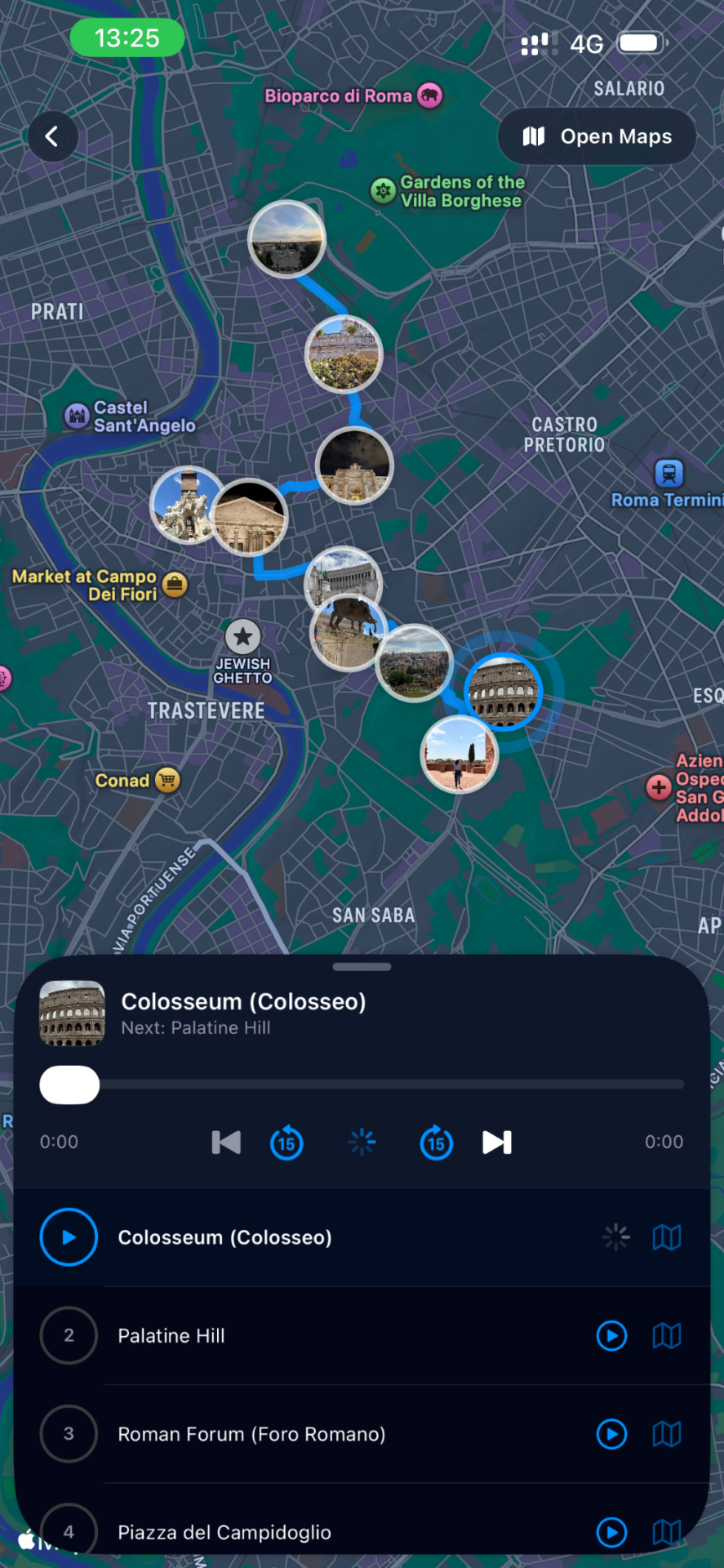
Tap Listen Audio to hear a short story about a place. The player lets you pause, rewind, skip forward or move to the next track.
If you select another place while an audio story is playing, it goes into a queue instead of stopping the current one. You can open the queue, remove tracks or choose which story plays next. This is useful when you want to keep walking without constantly checking your phone.
Create a Tour by Description
The main feature is Votura’s AI tour builder. In the Tours tab, tap Create Tour and choose By Description. You can simply write what you want, including the city, transport, length of time, theme and places you would like to see.
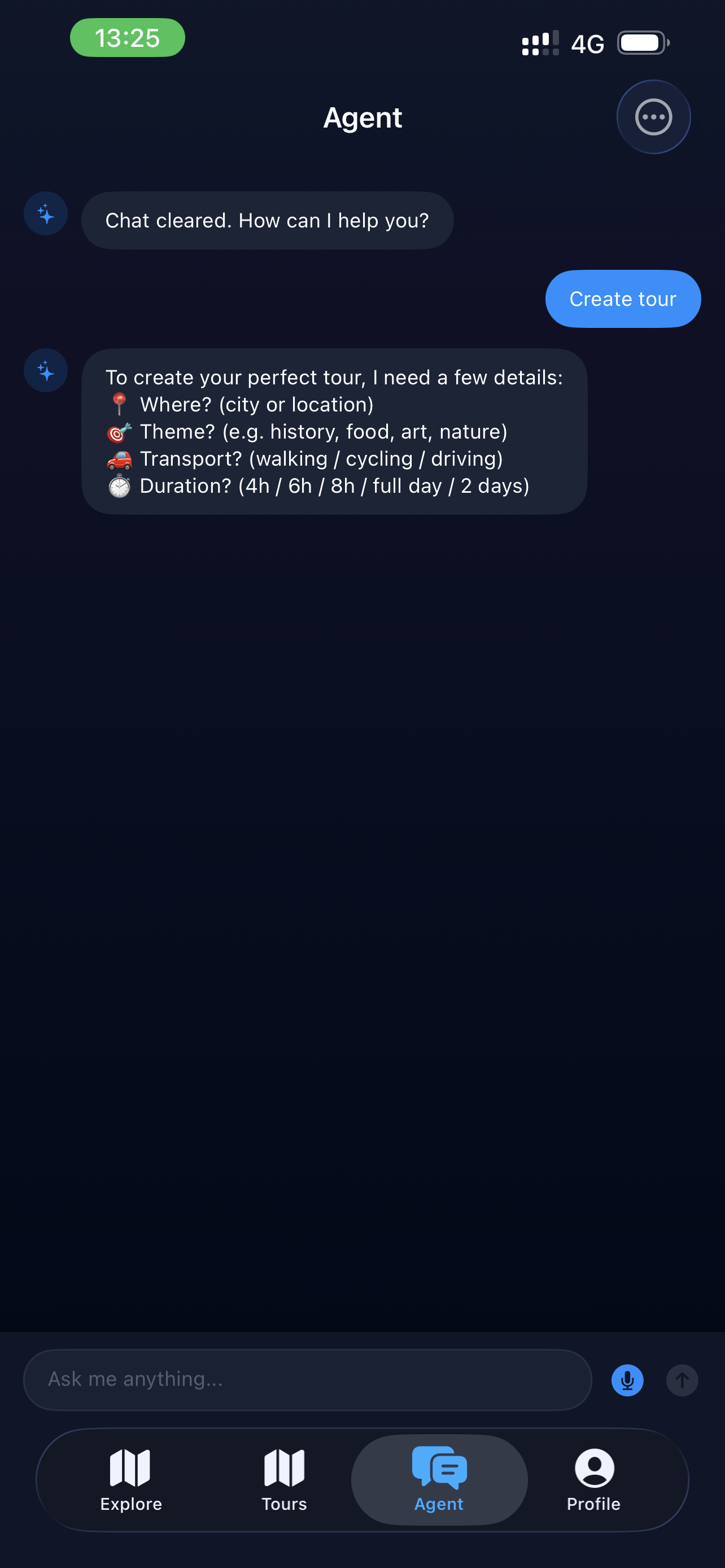
For example:
“Create a 6-hour walking tour in Edinburgh focused on Harry Potter locations, hidden closes and historic viewpoints.”
This is not limited to your current location. You can be at home and create a future walking tour in Paris, a cycling route in Amsterdam or a driving tour through the Scottish Highlands.
After you tap Generate Tour, the app creates a route, picks suitable stops, writes descriptions and prepares audio for each location. It normally takes around two to four minutes, depending on the request and number of stops. Audio can take a little longer to load in some cases.
Nearby and Ready-Made Tours
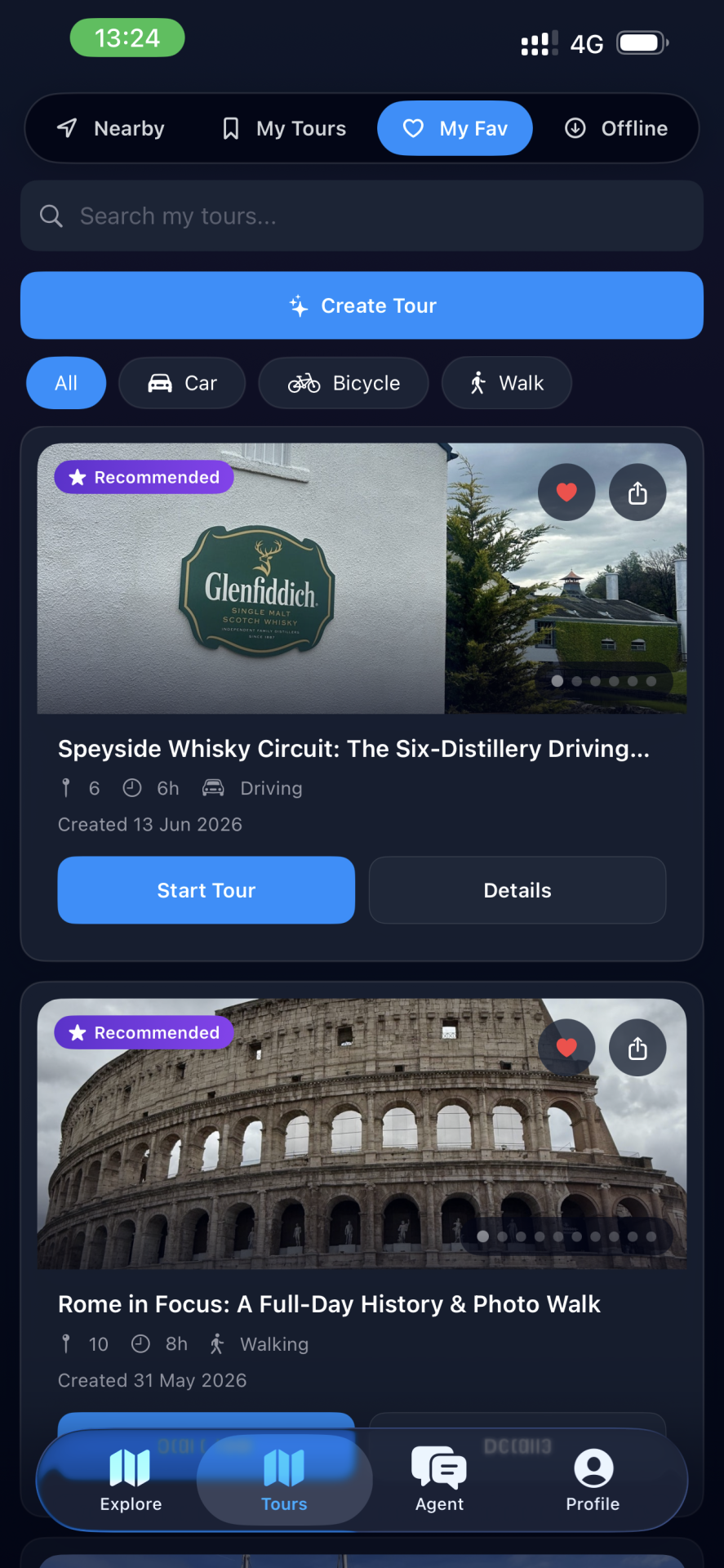
Votura also has a Nearby option for more spontaneous plans. You can choose walking, bicycle or car, set the time you have and select the types of places you want to include.
There are also ready-made tours to browse. Each one shows the route type, approximate duration and number of stops. Open a tour to see its map, description and stop list before you start.
When you tap Start a Tour, the app shows route guidance, including the next part of the route, remaining distance and estimated arrival time. The audio player stays available throughout the journey.
Offline Downloads
Premium users can download tours before travelling, including audio and other tour content. This is helpful when you expect weak signal, expensive roaming or long stretches on the road. It is best to download everything while you still have Wi-Fi.
12 Languages and Simple Settings
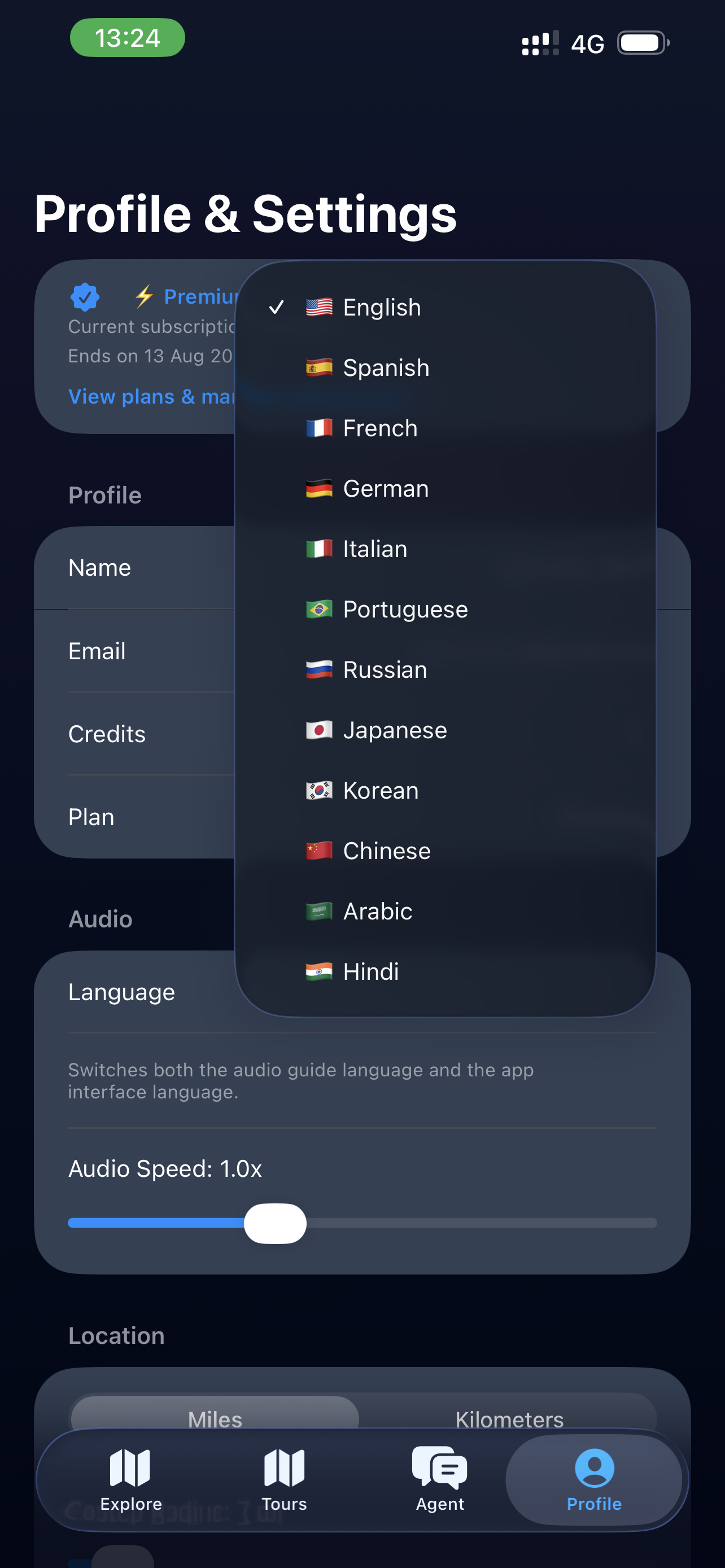
Votura supports English, Spanish, French, German, Italian, Portuguese, Russian, Japanese, Korean, Chinese, Arabic and Hindi. You can also change audio speed, choose kilometres or miles, set a preferred radius and save your favourite categories.
Example: A Morning in Barcelona
Imagine you have a free morning in Barcelona and do not want to join a group tour. You could write: “Create a 4-hour walking tour in Barcelona with Gaudí architecture, historic streets, viewpoints and local food areas.”
Votura would build a route based on that request, with an ordered list of places, a map and audio stories. You could check the stops before leaving, remove anything that does not interest you and save useful places for later.
That is where the app makes most sense. It gives you a route and local context, but you are still free to stop, skip places or change your day.
How Votura Builds Your Tour
Step 1: Open Tours and tap Create Tour
Step 2: Choose By Description and write what you want to do
Include a city, how long you have, how you want to travel and what interests you.
Step 3: Tap Generate Tour
Wait while the app creates the route, descriptions and audio.
Step 4: Review the map and stop list
Open any stop for more detail or audio.
Step 5: Tap Start a Tour when you are ready
Use the route guidance and audio player as you explore.
Who Should Download Votura?
Votura is best for independent travellers, city-break visitors, road-trippers and locals who want a simple way to discover more around them. It is especially useful for people interested in history, architecture, culture, scenic routes, castles, museums and hidden places.
It will not replace a live guide for everyone. But for travellers who want flexibility, audio stories and a route made around their own plans, it is a useful alternative.
Things to know before downloading: creating a tour is free, while listening to audio uses credits. Longer or more detailed tours can take a few minutes to create, and offline content should be downloaded before you travel.