




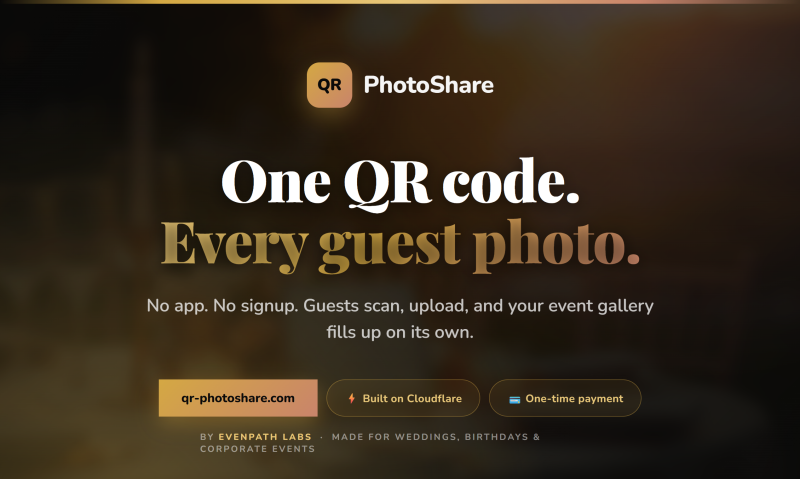
Every event has the same problem. Your guests take dozens of candid photos, the kind a hired photographer never catches, and those images live on individual phones forever. Someone sets up a WhatsApp group. Half the guests don’t join. The other half forget to post. The person who organized everything spends two weeks chasing memories that should have been automatic.
QR PhotoShare is a genuinely simple fix for this. You create an event, get a QR code, print it on a table card or display it on a screen, and guests scan it with their phone camera. No app download. No account creation. Photos go straight into a private gallery that you download after the event. That’s the whole thing.
It was built by Zoran Lekovic at EvenPath Labs, and the origin story is almost too relatable: a friend’s wedding where the bride spent her honeymoon manually downloading hundreds of images from a WhatsApp group. QR PhotoShare exists to make sure that never happens again.
Key Features of QR PhotoShare
Zero Friction for Guests
This is the core thing. Every existing photo-sharing product for events fails at the same hurdle: guests won’t install an app for a one-time occasion. QR PhotoShare sidesteps that entirely. Guests point their phone camera at the QR code, a browser page opens, and they upload directly. No signup, no password, no instructions needed. It works on any phone with a camera.
Private Gallery with PIN Protection
Photos land in a private event gallery that only people with the link or PIN can access. The Basic plan includes PIN protection by default. Galleries auto-delete after 30 days, so there’s no lingering personal data sitting on a server somewhere. You download everything you want before then, and the rest is gone automatically.
Real-Time Uploads Across 12 Languages
Photos and videos appear in the gallery almost instantly after upload, built on Cloudflare’s edge infrastructure for fast load times worldwide. The interface also auto-detects a guest’s browser language and adjusts accordingly, covering 12 languages. For international weddings or corporate events with a mixed-nationality crowd, that detail matters more than you’d think.
AI Invitation Designer
The top-tier AI Design plan adds something a bit different: an AI-powered invitation designer that generates custom event invitations with unique backgrounds tailored to your event theme. For someone planning a wedding or a milestone birthday, having a polished, branded invitation with the QR code built in is a genuine quality-of-life upgra
How It Played Out at a Real Birthday Party
Mia, a 34-year-old event organizer in Berlin, used QR PhotoShare for her sister’s 40th birthday dinner in March. Around 6:30 PM, just before guests arrived, she printed the QR code onto small cards and placed one at each table setting. She had set up the event that afternoon and the whole process, from payment to having the code ready, took under three minutes.
By 8:00 PM, with about 35 guests seated and the evening in full swing, photos were already appearing in the gallery. Older relatives who wouldn’t touch a social media app had no trouble with it because the process is literally just: scan, pick photos, tap upload. No one asked Mia how it worked. That part surprised her most.
The next morning she downloaded 214 photos and 18 short videos from the gallery. Candid dinner table shots, group photos the hired photographer had missed entirely, a short video of her sister blowing out the candles from four different angles. She said the WhatsApp alternative would have taken her a week. This took about four minutes of her Sunday morning. She later set up another qr-photoshare.com event for a work retreat the following month.
How QR PhotoShare Works, Step by Step
Step 1: Create Your Event
Pick a plan, pay once, and your unique QR code is generated immediately. The whole setup takes under a minute. You give the event a name, set the duration, and choose your privacy settings.
Step 2: Share the QR Code
Print it on table cards, display it on a screen, or send it digitally before the event. It works anywhere a phone camera can see it. No special hardware or setup required at the venue.
Step 3: Guests Upload Directly
Guests scan with their phone camera, land on a clean browser upload page, and send photos or videos. The gallery fills up in real time. You watch it happen from the organizer view.
Step 4: Download Everything After
Once the event wraps, you bulk-download the full gallery. Photos auto-delete after 30 days, so there’s a clear window to grab everything before the cleanup happens automatically.
What the Plans Actually Cost
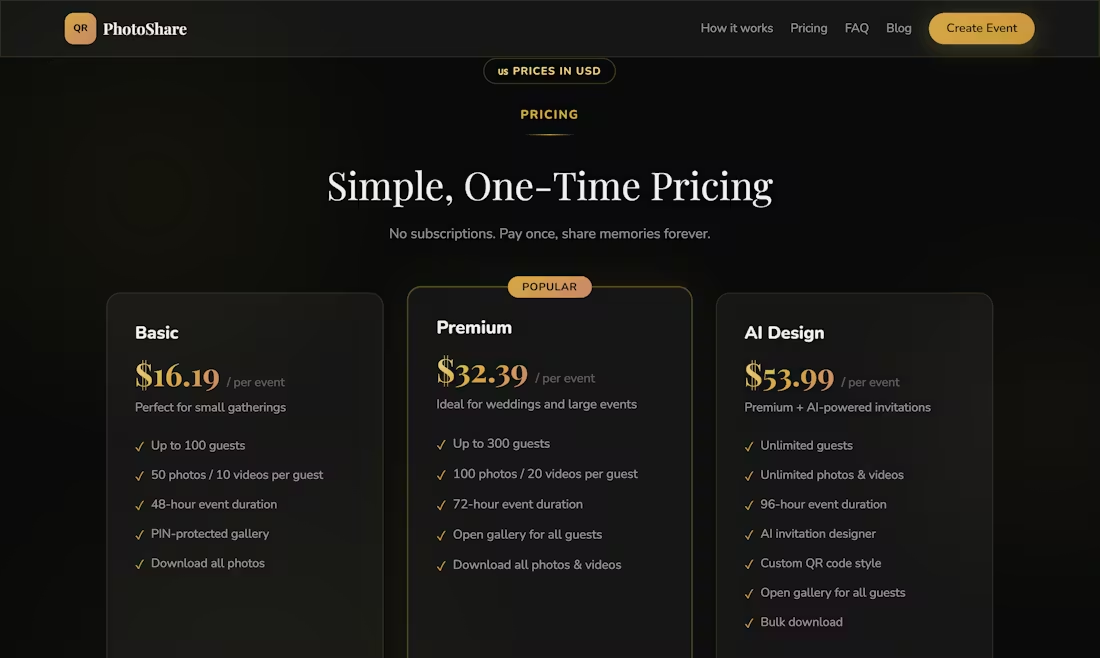
All three plans are one-time payments per event, no subscriptions involved:
- Basic ($16.19): Up to 100 guests, 50 photos and 10 videos per guest, 48-hour event window, PIN-protected gallery
- Premium ($32.39): Up to 300 guests, 100 photos and 20 videos per guest, 72-hour window, open gallery for all guests
- AI Design ($53.99): Unlimited guests, unlimited photos and videos, 96-hour window, AI invitation designer, custom QR code style, bulk download
For a one-off event, the flat fee model makes much more sense than any subscription. Most people planning a single wedding or birthday will find the Premium tier covers everything they need.
Who Should Try This
If you’re planning any event where guests will have phones, QR PhotoShare is worth a look. It fits weddings, birthday parties, corporate team days, reunions, and graduation dinners equally well. The no-friction guest experience is what sets it apart from anything that requires an app install. Head to qr-photoshare.com to create your first event. Setup takes under 60 seconds, and the memories part takes care of itself from there.


