Most of us come home from a trip or a family event with somewhere between 300 and 800 photos on our phones. Maybe a handful become Instagram posts. The rest sit in a camera roll, unsorted, slowly getting buried under new ones. The photo book idea comes up every few months. Then the work involved kills the motivation. Selecting shots, removing duplicates, laying out pages, writing captions: it takes hours, and most people never finish.
Sustain is built specifically to close that gap. You upload your photos, and the AI handles the curation, layout, captions, and theming. The result is a finished album, not a blank canvas you still have to fill yourself. It launched recently on Product Hunt and the approach is genuinely different from what Shutterfly or Mixbook offer.
What makes it interesting is the depth of the analysis underneath. This is not a template-picker with auto-fill. Sustain runs a full vision pipeline on every photo before a single page gets designed, then uses a large language model to make editorial decisions the way a professional photo editor would.
What Sustain Actually Does With Your Photos
Deep Photo Analysis and Quality Scoring
Every photo you upload gets scored on sharpness, exposure, composition, and aesthetic quality. Blurry duplicates and near-identical shots get filtered out automatically. The AI reads GPS coordinates and timestamps to organize photos by place and time, so the album follows the actual chronology of your trip or event rather than a random shuffle.
Face Recognition and People Tagging
Sustain detects every face, clusters them into individual identities, and makes sure each person shows up consistently throughout the album. Tag someone by name and the captions and titles get noticeably more personal. It is one of those features that sounds small but makes a real difference in the final result, especially for family albums or weddings.
LLM-Driven Narrative Curation
This is the part that separates Sustain from drag-and-drop tools. After analysis, a language model reviews the full collection and makes curation decisions: which shots to include, how to order pages for narrative flow, which theme fits the occasion. You can refine it by typing in plain language: “make this spread about the hike,” “warmer theme,” “more photos of grandma.” The AI applies the changes one by one for your approval.
Auto Captions, Titles, and Intelligent Theming
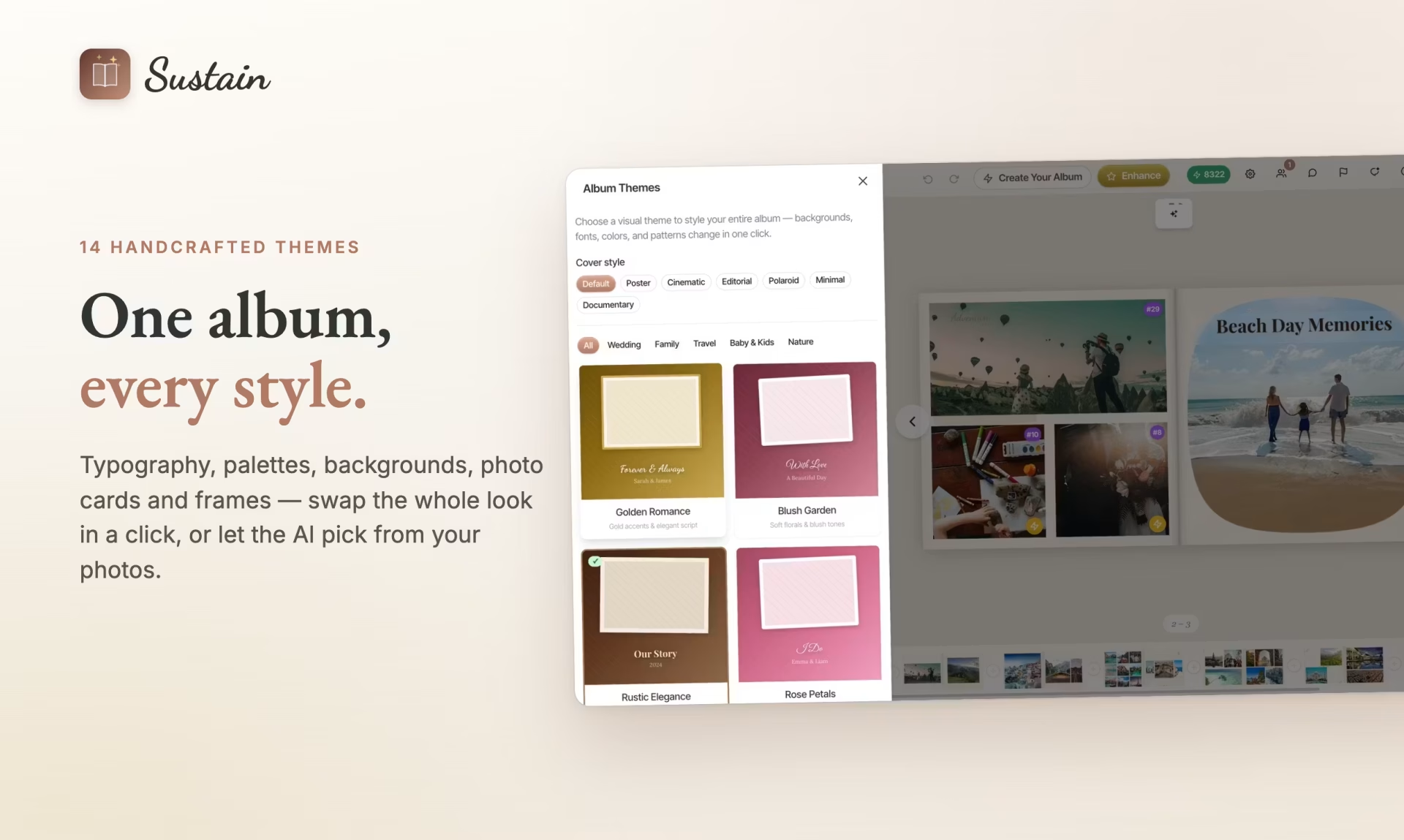
Captions are generated from what is actually in each photo: people, places, the mood of a scene. Titles are written to match the feeling of each spread, not just the date. Backgrounds, typography, and decorative elements are chosen to fit the album’s overall tone, from an elegant wedding style to something playful for a kids’ birthday. There are 14 handcrafted themes available, and the AI picks the best match based on your content.
Photo Enhancement and Animated Clips
Super-resolution upscaling rescues older or low-resolution photos and makes them print-ready at any size. On top of that, Sustain can turn your best still shots into short, cinematic animated clips that play inside the digital version of your album. It is a genuinely nice touch for sharing with family who cannot hold the printed book.
Maya’s Sunday Morning Album Problem
Maya, a 34-year-old teacher from Austin, got back from a two-week Portugal trip in October with 640 photos on her iPhone. She had promised her parents a printed album before Christmas. By the first Sunday in November, she had opened Lightroom twice, closed it both times, and done nothing.
At 9:30 AM that Sunday, she uploaded all 640 photos to Sustain through Google Photos. She made coffee. By the time she came back, the AI had scored every shot, removed the blurry duplicates and near-identical bursts, and produced a 28-page draft organized by city: Lisbon, Sintra, Porto, the Douro Valley.
The captions were specific. One spread about the Sintra palace hike had a title that read “The climb that almost broke us (worth it)” because the AI had identified the elevation gain from GPS data and the exhausted-but-grinning faces in the summit shots. Maya typed “warmer tones for the Porto wine section” into the chat. Sustain swapped the color palette on those spreads within seconds.
By 11:15 AM she had a finished, print-ready album. She ordered the printed book the same afternoon using the PRODUCTHUNT15 discount code for 15% off. Her parents had it on their coffee table before December.
How Sustain Builds Your Album From Upload to Print
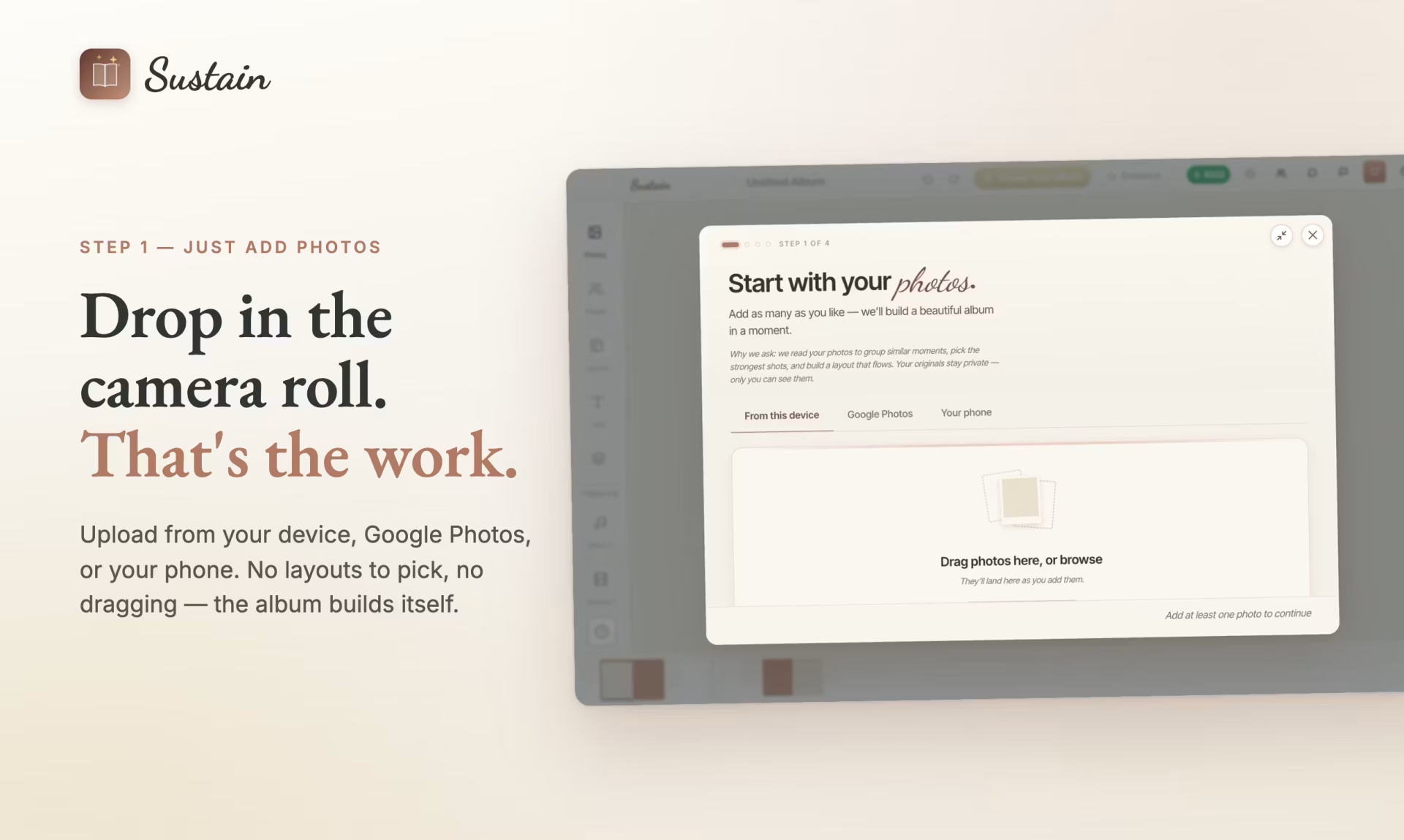
Step 1: Drop In Your Photos
Upload from your device, Google Photos, or directly from your iPhone via the iOS app. No sorting required before you start. Hundreds of photos work fine.
Step 2: The Analysis Pipeline Runs
Face detection, geo-tagging, quality scoring, duplicate removal, and scene understanding all run automatically. Each photo gets a quality score and contextual tags before any design decisions are made.
Step 3: The AI Curates and Designs
The LLM selects the strongest shots, arranges pages into a narrative arc, generates captions and titles, and applies the theme best suited to your content. The whole draft is ready in minutes.
Step 4: Refine by Chat or by Hand
Use the drag-and-drop editor to move photos, swap text, add stickers, or change backgrounds manually. Or just type what you want to change in the chat interface. Collaborate with family members in real time if you are building a shared album.
Step 5: Share, Export, or Print
Share a link, export a PDF, or order a real printed photo book delivered to your door.
Who Should Try Sustain
If you have a camera roll full of memories that have never made it into anything permanent, Sustain is worth your time. It is well suited for travel albums, family events, weddings, and milestone birthdays: any occasion where you end up with too many photos to edit manually. The free tier lets you build and share an album without entering a card number, so there is no reason not to try it on your last big trip. Start at sustain-app.com and see how far the AI gets without any help from you.