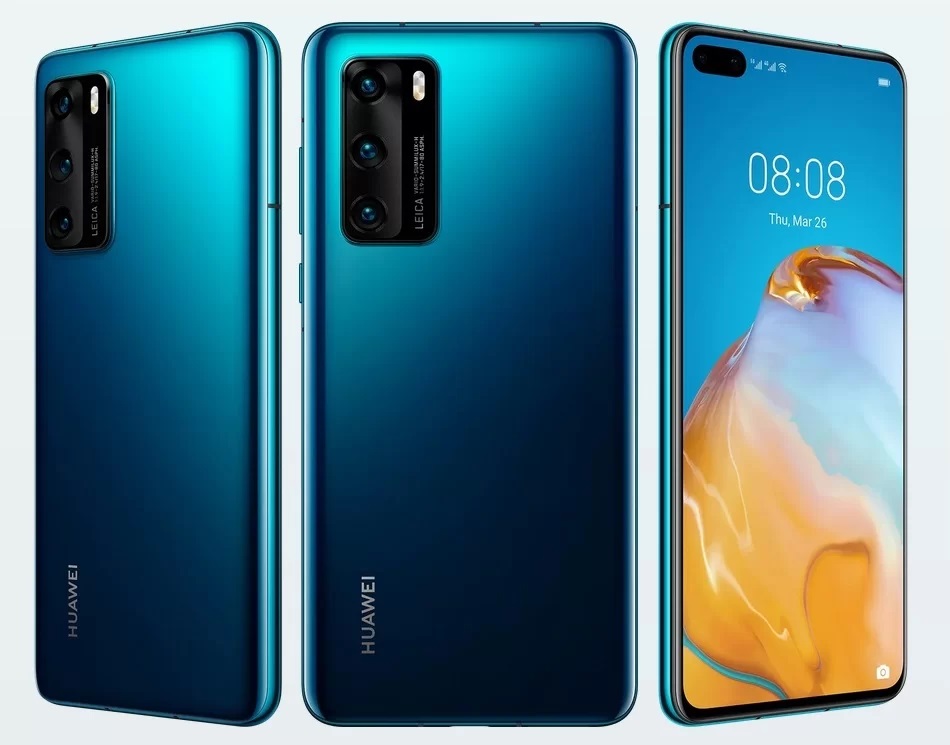
Huawei has officially introduced their Huawei P40 smartphone. The handset will feature an in-display fingerprint sensor and supports Dual SIM (options listed below). Plus the smartphone is rated at IP53.
The Huawei P40 comes packed with an octa-core Kirin 990 5G SoC which has Mali-G76 GPU and dual Big + Tiny core NPU. The smartphone will feature an 8GB RAM and 128GB of internal storage space.
The Huawei P40 specifications will feature a 6.1-inch OLED display with FHD+ resolution at 19.5:9 aspect ratio. It also comes with a 32MP + IR selfie cameras which can record 4K videos and offers several AI capabilities. Face unlock will be available with this smartphone as well.
On the rear end of the Huawei P40 there is a triple camera setup which is made up of a 50MP (ultra Vision) + 16MP (ultra-wide-angle) + 8MP (telephoto) snappers along with LED Flash. The smartphone will be powered by a 3800mAh (typ) battery which supports 22.5W Huawei Super Charge fast charging.
The Huawei P40 will be available in the colours of Silver Frost, Blush Gold, Deep Sea Blue, Ice White and Black shades. It is currently priced at Euro 799 (USD$ 875 / Rs. 67,120 approximately) and will go public on the 7th of April.
How To Fix Emails deleted from Huawei P40 or Computer still on other Devices:
Cause:
This issue occurs because you have set POP3 protocol instead of IMAP for your email. When you use the POP3 protocol to log in to your mailbox on a device, the device simply copies and saves emails from the server. If you delete any emails from one device, the emails downloaded and saved on another device are not affected.
Solution:
If you want to sync your emails across all your devices, use the IMAP for login.
Use a web browser to log in to your email box. On the email settings page, allow your mobile devices to use IMAP for login.
Exit your email account and log in again on your phone. On the login screen, select IMAP.
If you update any emails on your phone, the updates will be synced to the server. Your emails will be synced across all devices.
Experiencing difficulties with your Device, check out our “How To” page on how to resolve some of these issues.