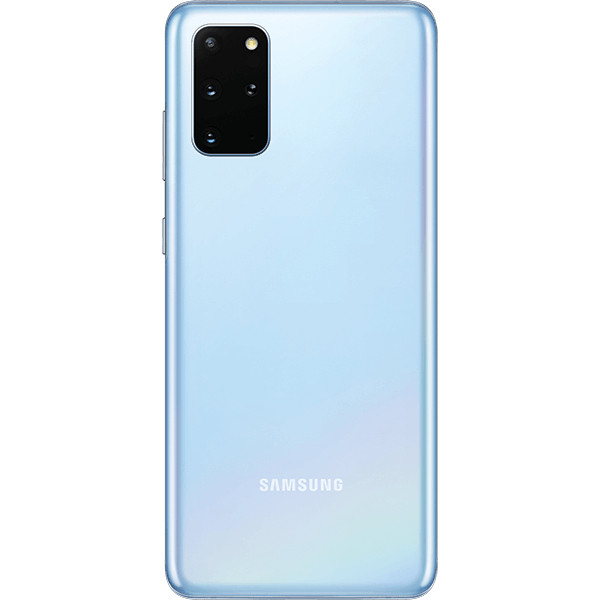
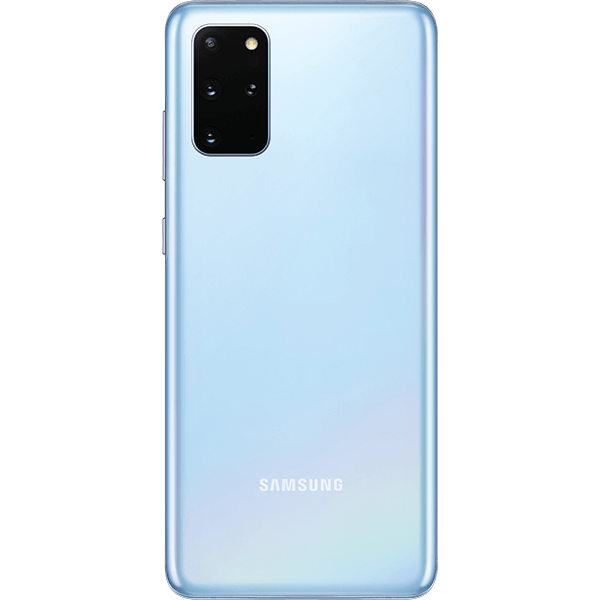
Samsung recently revealed a range of new Galaxy Phones for the year 2020. Among those to steal the show were the Galaxy Z Slip and the Galaxy S20 Ultra.
The Galaxy S20 will have three variants: the 6.2-inch Galaxy S20, the 6.7-inch Galaxy S20 plus and the 6.9-inch Galaxy S20 Ultra. The prices of these phones start at $1000, $1200 and $1400 respectably. Of the three variants, the S20 Ultra has the most advanced camera setup. The difference between the three variants respectively are:
The Samsung Galaxy S20:
This is the most basic S20 model in the lineup. It will come with a 6.2 inch OLED display. The resolution of this smartphone is Quad HD. The three cameras on the back will be of 12MP+64MP+12MP and the camera in the front will be of 10MP. It will run with an Exynos 990 processor chip. The RAM of the phone will be either 8GB or 12GB, depending on the variant which you are purchasing. It will come with an internal storage of 128GB. The battery will be 4000 mAh which is considerably good. It is rated IP68 water-resistant. There will be an optional 5G variant available as well. The phone will start from a range of $1,349.
The Samsung Galaxy S20+:
This is a variant which is a grade above the base model S20. It will come with a 6.7 inch OLED display. The resolution again will be Quad HD. There is no difference in the back and front cameras except that there will be an added ToF Feature on the back camera. Again, it will run on an Exynos 990 processor. The RAM variant will depend on you whether you purchase the 8GB or 12GB variant. The internal storage will come in two options of 128GB and 512GB. There will be an increased battery size of 4500 mAh. The phone will be IP68 water resistant naturally. A 5G model is again an option that you have to take whether you want to purchase that one or not. It will start at $1,499.
The Samsung Galaxy S20 Ultra:
This is the best and most powerful variant in the series of S20. It will come with a 6.9 inch OLED display. The resolution will be the same – Quad HD. But there is a huge difference in the back cameras. The back cameras will be 108MP+48MP+12MP+ToF. If you are wondering about the front camera, it will have a 40 MP camera. The phone will run on Exynos 990 processor only. There will be two RAM variants available for you to choose from – 12GB and 16GB. The internal storage again will come in two options – 128GB and 512GB. If you are thinking about the battery, the battery is again upgraded to 5000 mAh, which means your device will run for a long period than usual. The phone is IP68 water-resistant. It will be 5G only and it will start from a price of $1,999.
All of the three smartphones have some great features and that is why they are priced this high. It is hard to determine if paying almost $1,999 for a smartphone is worth it or not, but one thing is sure that the quality you will get will be high.
Instructions on How To Fix Samsung Galaxy S20 Will Not Turn On or Off:
Your phone or tablet may not turn on if you are not charging it properly. But on the other hand, it may not turn off if it’s completely frozen. To help resolve the issue, we will cover how to properly charge your phone or tablet, force a re-boot and enter Safe mode.
Choose the issue that best describes your specific problem.
Will Not Turn On:
The USB connection on a PC may not provide enough power to charge and use the phone or tablet at the same time, because it will require significantly more time to charge. Power it off for a faster charge.
Verify the components:
Verify that the phone or tablet, charger, and USB cable have no physical or liquid damage. If they do, it could be preventing it from charging properly.
Check the USB connections for corrosion and bent pins.
If your phone or tablet has a non-removable battery, inspect the Liquid Damage Indicator (LDI) sticker in the SIM and microSD card tray slot. The LDI indicators should be solid white or white with visible pink/purple Xs. If it has been exposed to moisture, the LDI will be solid pink/purple/red.
If your phone or tablet has a removable battery, inspect the the Liquid Damage Indicator (LDI) sticker on the battery or battery tray. The LDI indicators should be solid white or white with visible pink/purple Xs. If it has been exposed to moisture, the LDI will be solid pink/purple/red.
The USB cable should be secured firmly in the phone or tablet’s charging port with very little mobility.
Soft reboot the phone:
Press and hold the Power and Volume Down keys until the phone or tablet restarts. This can take up to 60 seconds.
If it enters the Maintenance Boot Mode instead of restarting, use the Volume Up or Down keys to highlight Normal Boot, and then select it by pressing the Home or Bixby key.
Charge the phone:
Charge your phone or tablet using the factory travel charger that came with it for at least 1 hour.
The battery charging indicator may take up to 10 minutes to appear on the phone or tablet’s screen.
Power on the phone:
Disconnect the tablet from the charger, and then attempt to turn it on by pressing and holding the Power key for 15-20 seconds.
If the phone or tablet turns on, it needed to be charged. Turn it off and reconnect it to the factory travel charger until it is fully charged.
If the phone or tablet fails to turn on after performing the troubleshooting steps above, contact support.
Will Not Turn Off:
If your phone or tablet has a non-removable battery:
Press and hold the Power and Volume Down keys until the phone shuts down. This may take up to 60 seconds. This simulates a battery pull.
If your tablet enters the Maintenance Boot Mode instead of restarting, use the Volume Up or Down keys to move the cursor. Highlight Normal Boot, and then select it by pressing the Home or Bixby key.
Experiencing difficulties with your Android Device, check out our “How To” page on how to resolve some of these issues.
Other Android Technical Reviews:- Android